Evidence
Proof, not promises. You can check Correctest's work instead of trusting it.
A client starts a scan and watches nothing happen for the next hour. Everything on this page exists so that afterwards they can see, and check, what Correctest actually did: to their app, on their behalf, with their data. Every claim carries its evidence, and every failure carries its picture, captured mask-safe or not at all.
The trail every scan leaves
Screenshots at every decision point, and none where a picture would lie.
- Page shots and element crops
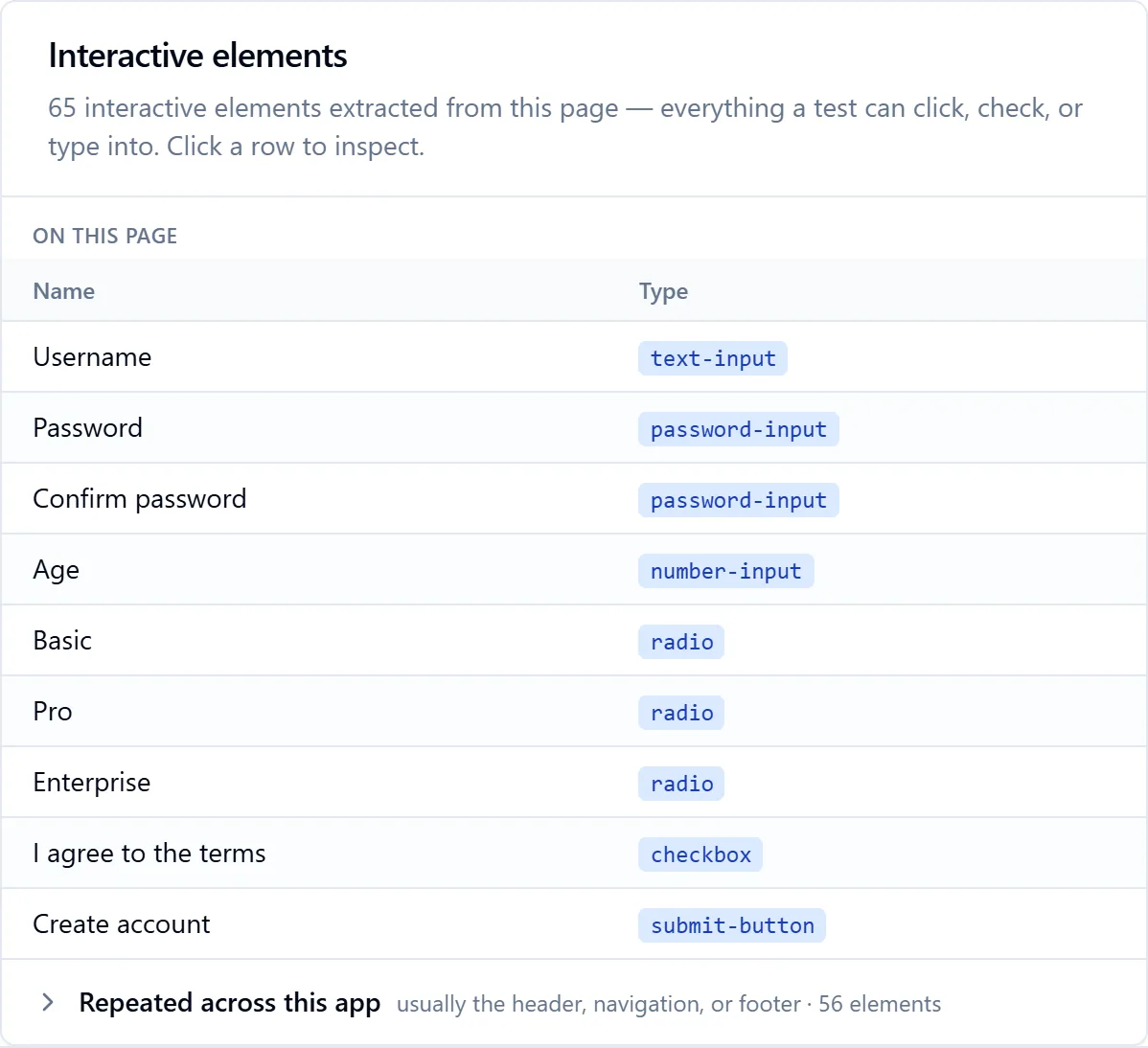
- Discovery keeps a full-page shot of every page it maps, credential fields masked, and a crop of every element on first visit. They surface everywhere you decide something: on page detail, on the element drawer, on the needs-attention cards, beside each value on the review screen, so you see which field you are judging. All click-to-enlarge, with zoom and pan.
- Before and after every submission
- Execution stores a credential-masked before/after pair around every submission it makes, durably, in your Knowledge Base. They appear on the observation detail (per invalid-value variant), in the post-execution review, and in the "why is this test here?" view of the generated suite.
- The honest-evidence rule
- A silently accepted value is invisible to pixels: before looks like after. So that row shows a network-and-behaviour evidence line and no screenshot, because a screenshot there would be decorative, not honest. A fact with no scanned counterpart says so plainly and still shows the document it came from. Nothing is invented.
- Every observation, in the app's own words
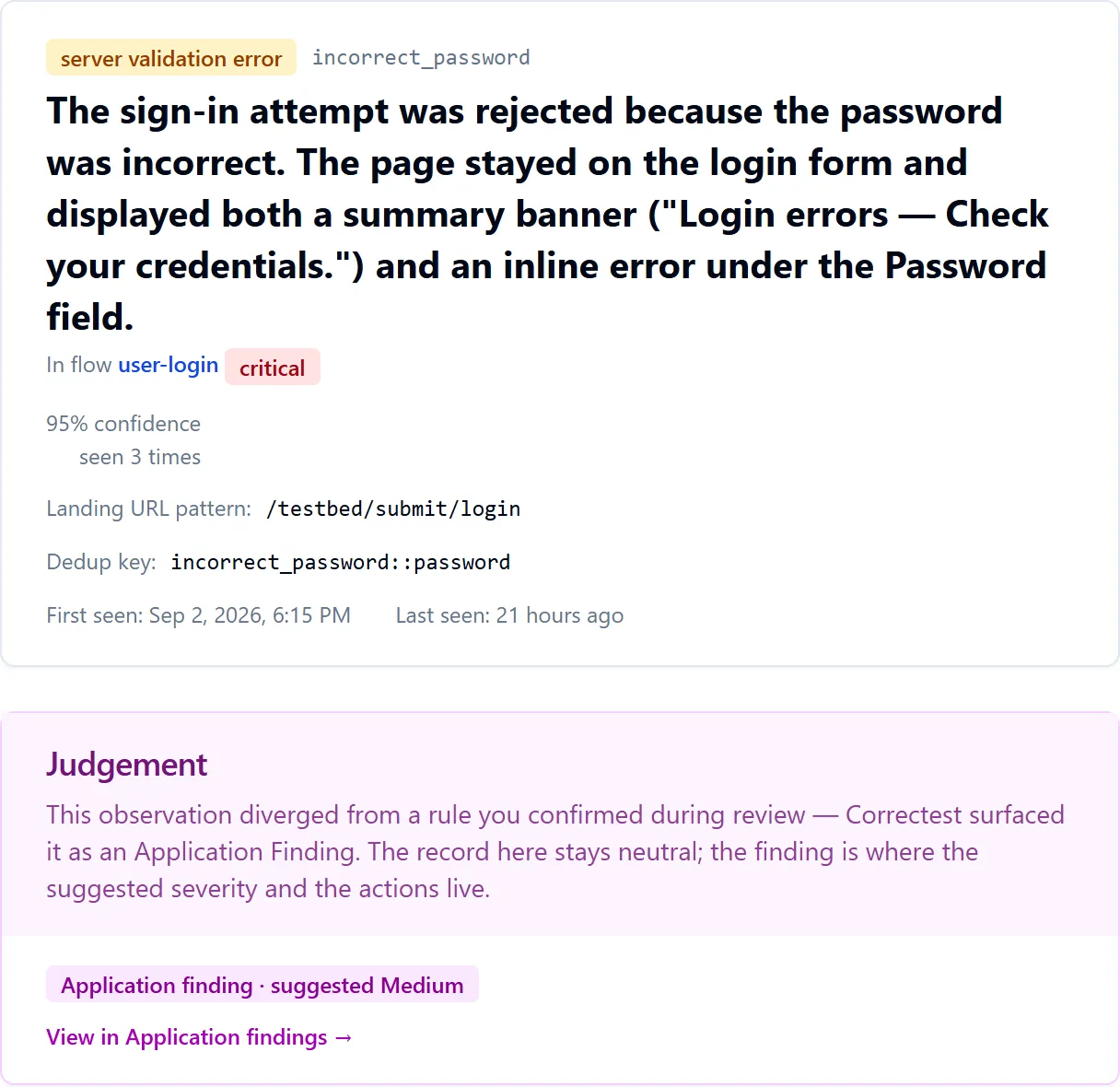
- What was submitted, by field; what the app answered, recorded verbatim with the field each message was associated to; success indicators, if any; the AI's plain-English reading and its confidence; how many times the same outcome was seen. The record stays neutral: it adds no pass/fail verdict.
The picture it builds
A written report, a map, and the app in functional parts. Composed with no AI at all.
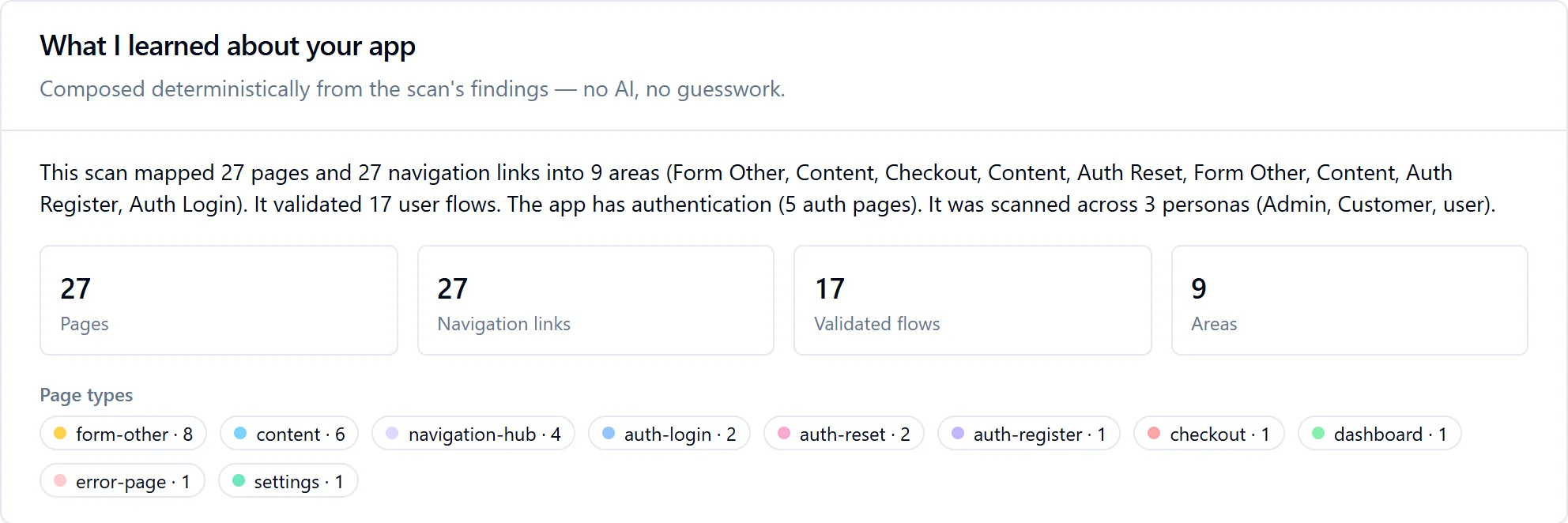
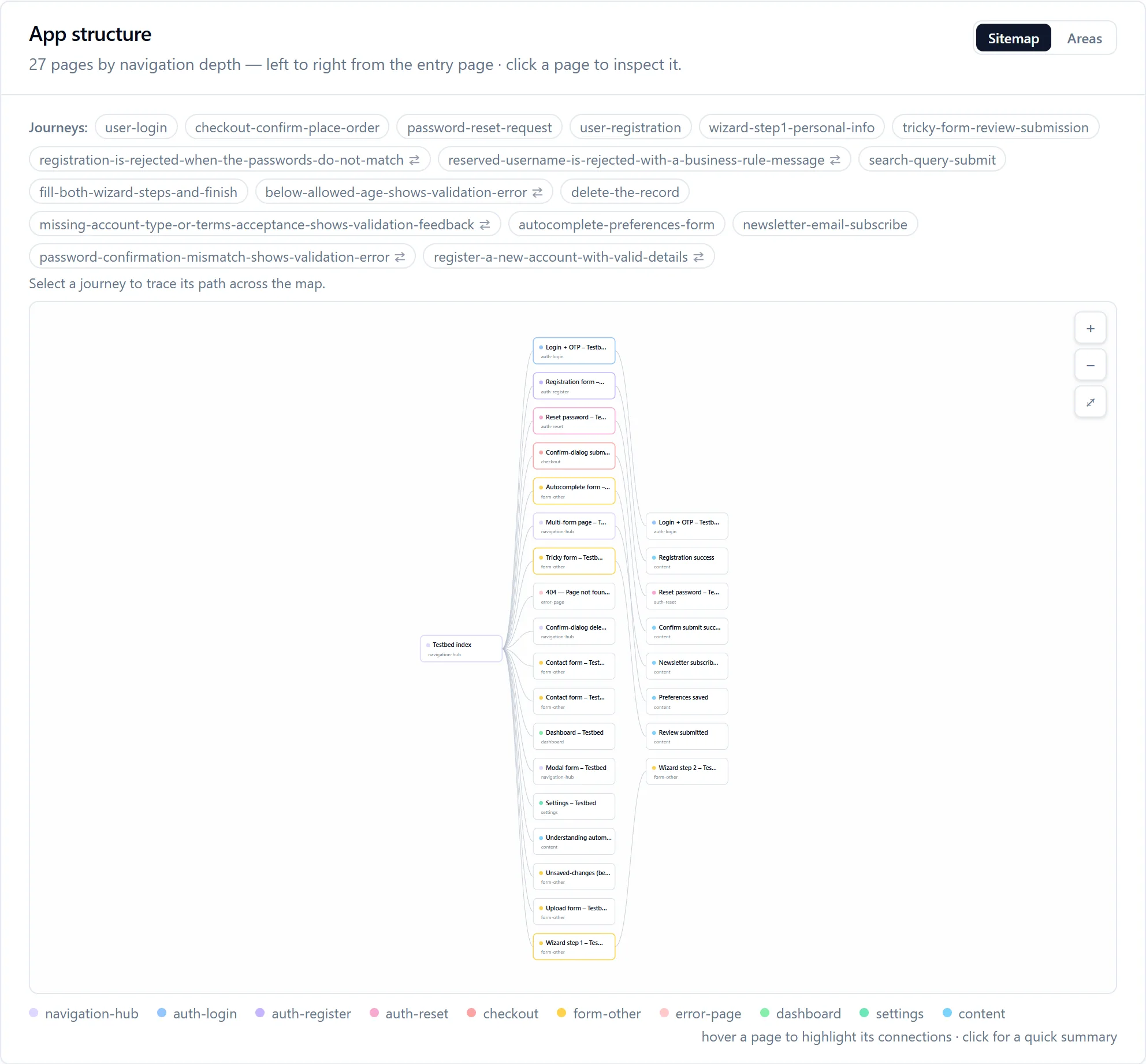
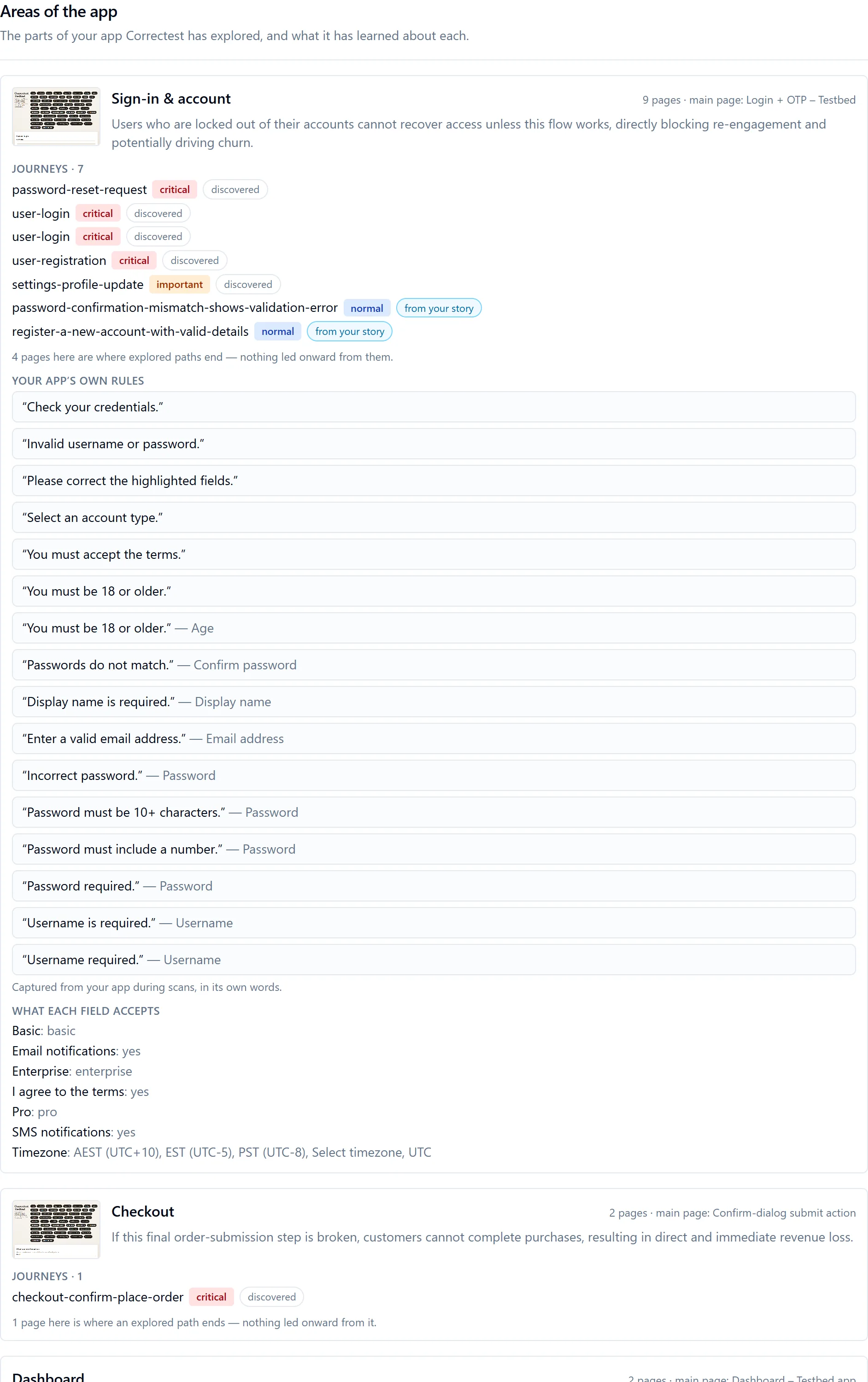
The Knowledge Base is not a log. At the end of a scan Correctest composes a plain-English report of what it learned, a navigable map of your application, and a breakdown of the app into the parts it is actually made of. All of it is assembled deterministically from rows already stored, so the same Knowledge Base produces the same words every time, and nothing on these screens costs a further AI call.
Recordings
Watch what the scanner saw.
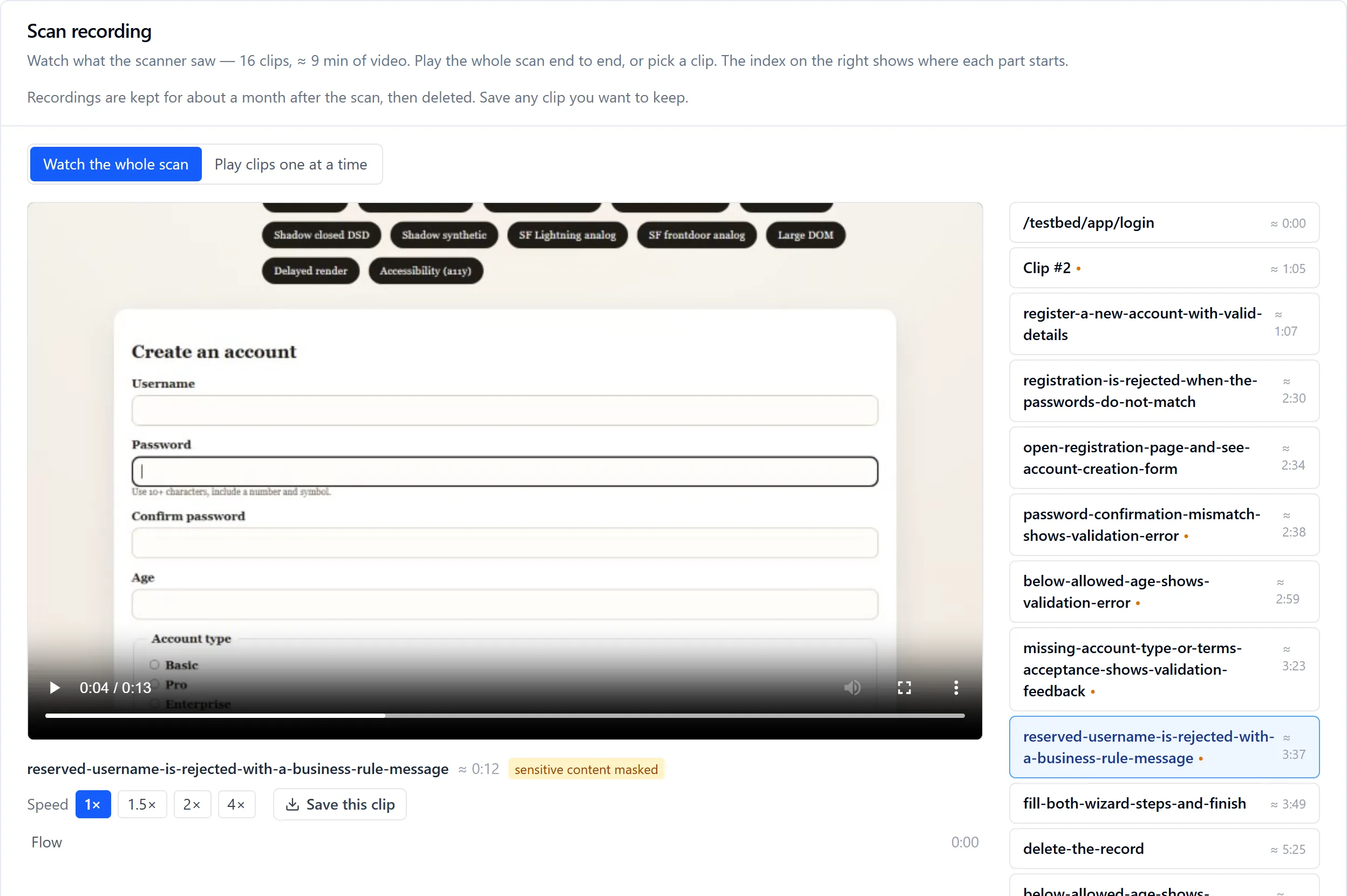
Turn recording on for an application, it is a per-app setting, and every scan keeps short video clips of what the browser did: the discovery crawl, the sign-in, the story walks, the execution replays. Because each page and flow runs in its own short-lived browser session, you get one clip per session, played back as an ordered reel: watch the whole scan end to end, clips advancing on their own, or pick a clip. A chapter rail shows where each page or flow starts; click a moment to seek to it.
Successes are kept, not just failures
A recording is not only there to prove a problem. The successful flows are the bulk of what you paid for, and they are the only genuine proof the scan really ran, so they are kept too. Every submission's clip is kept for the retention window, 30 days by default, and you are told so where you watch, with a Save this clip control so anything you want to keep is yours.
Named by what it proves
A clip is labelled by its flow's name or its page's path. A clip that belongs to neither says so rather than borrowing a label it hasn't earned. A flow's step list carries a picture per step, the page as it looked right after that step ran, so "fill the email field" is something you can see. Steps with no picture show nothing at all, never a neighbour's image.
Sensitive values stay covered
A credential typed on camera is rendered as dots for the rest of the session. If a field cannot be masked, the clip is suppressed rather than stored. Recordings are served only to the owning account, and a recording failure never breaks a scan. Two honest limits, stated rather than hidden: story-guided walks get no per-step filmstrip yet, and ordinary typed values such as an email or a phone number are masked in clips but not in stored stills; masking covers credential-class fields.
Where recordings show up
- A Watch this scan card on the scan overview and on the guided results step, shown only when a playable recording exists, never a dead end.
- The Scan recording view: the reel, the player, the chapter rail, playback at 1× to 4×.
- A clip link on a fact's evidence panel, so a claim and the moment it was seen sit together.
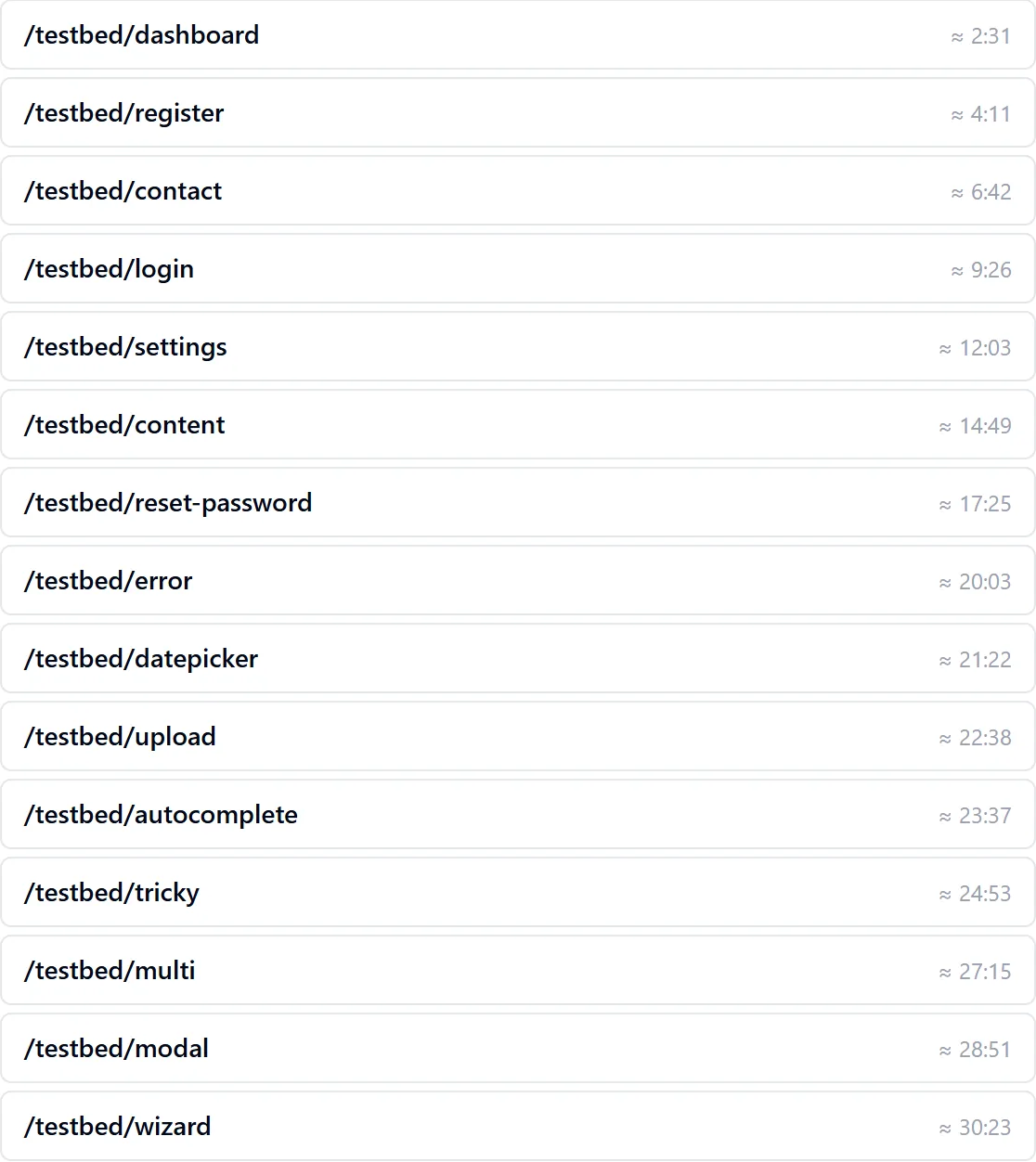
From our own run: 48 clips over a 40-minute scan, indexed first by page and then by flow.
The label on the clip is the point
A credential typed on camera is covered for the rest of that session, and where a field cannot be covered the clip is discarded rather than stored. The player says so per clip, in the open, rather than leaving it to a policy page: the clip above is marked sensitive content masked, and the index marks every other clip the same rule touched.
That is the rule that makes filming a scan defensible at all. Recordings are served only to the account that owns them, they roll off after about a month, and a recording failure never breaks a scan.
Verify any fact
Every fact in the Knowledge Base is provable, and honest about how sure it is.
Each fact on the application's knowledge page carries a Verify control. Open it and Correctest shows the evidence behind the claim: what a scan actually observed, the flows that exercised it, the pages it lives on with their screenshots, and the clip where it was seen. This is what turns the Knowledge Base from a list of assertions into an auditable record.
Evidence tied to a fact by an exact link reads as proof. A best-effort name match is visibly marked a likely match, because attaching the wrong screenshot to a fact would be worse than showing none. A fact with no scanned counterpart says so, and still shows the document it came from.
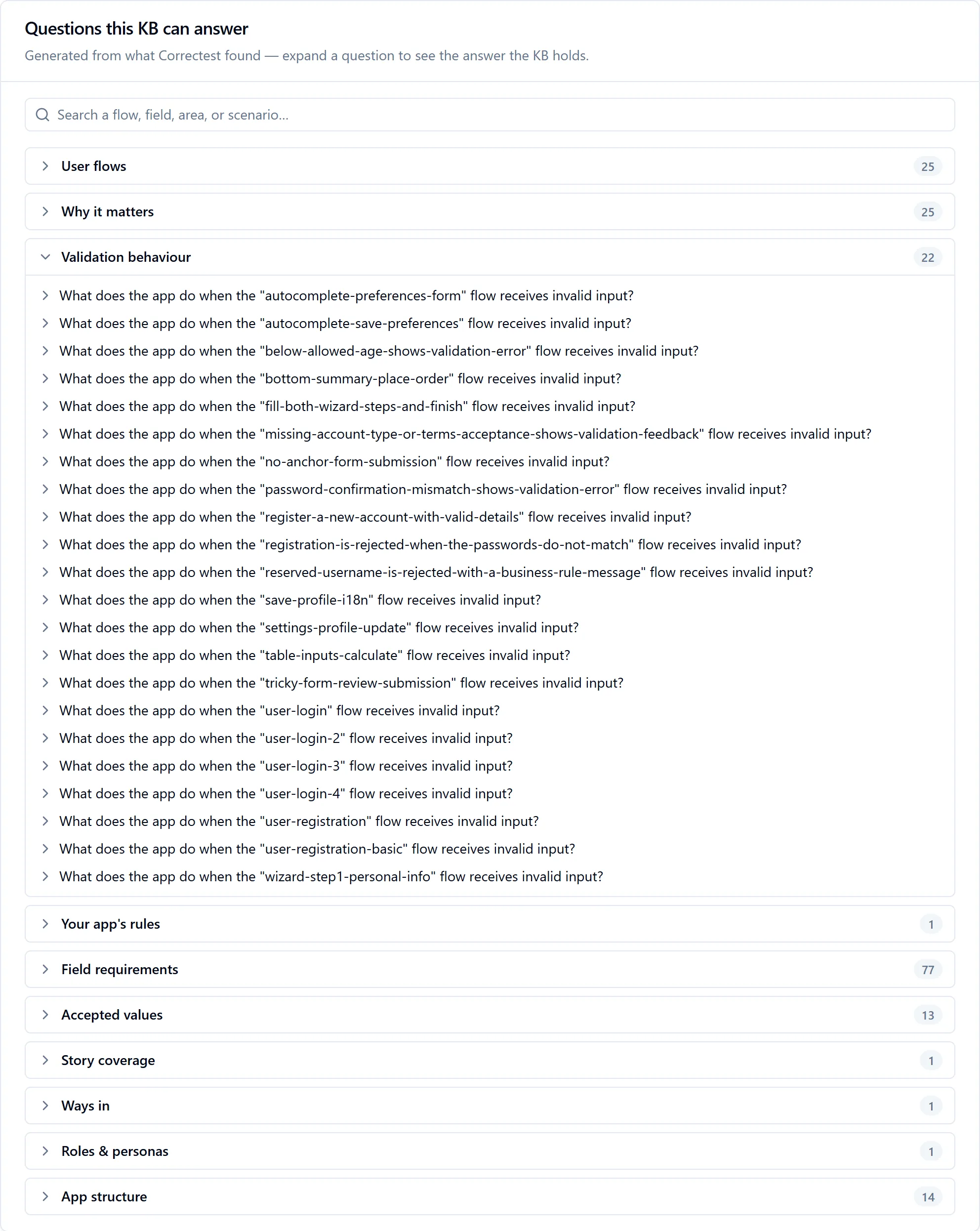
Questions this Knowledge Base can answer
Ten categories, composed from the same stored rows with no AI at view time: the flows a user can complete, why each one matters, what the app does on bad input, your app's own rules, what each field requires, what values it accepts, which journeys came from your stories, the ways people get into your app, how roles compare, and how the app is structured. Same Knowledge Base, identical output, every time.
Findings before any test exists
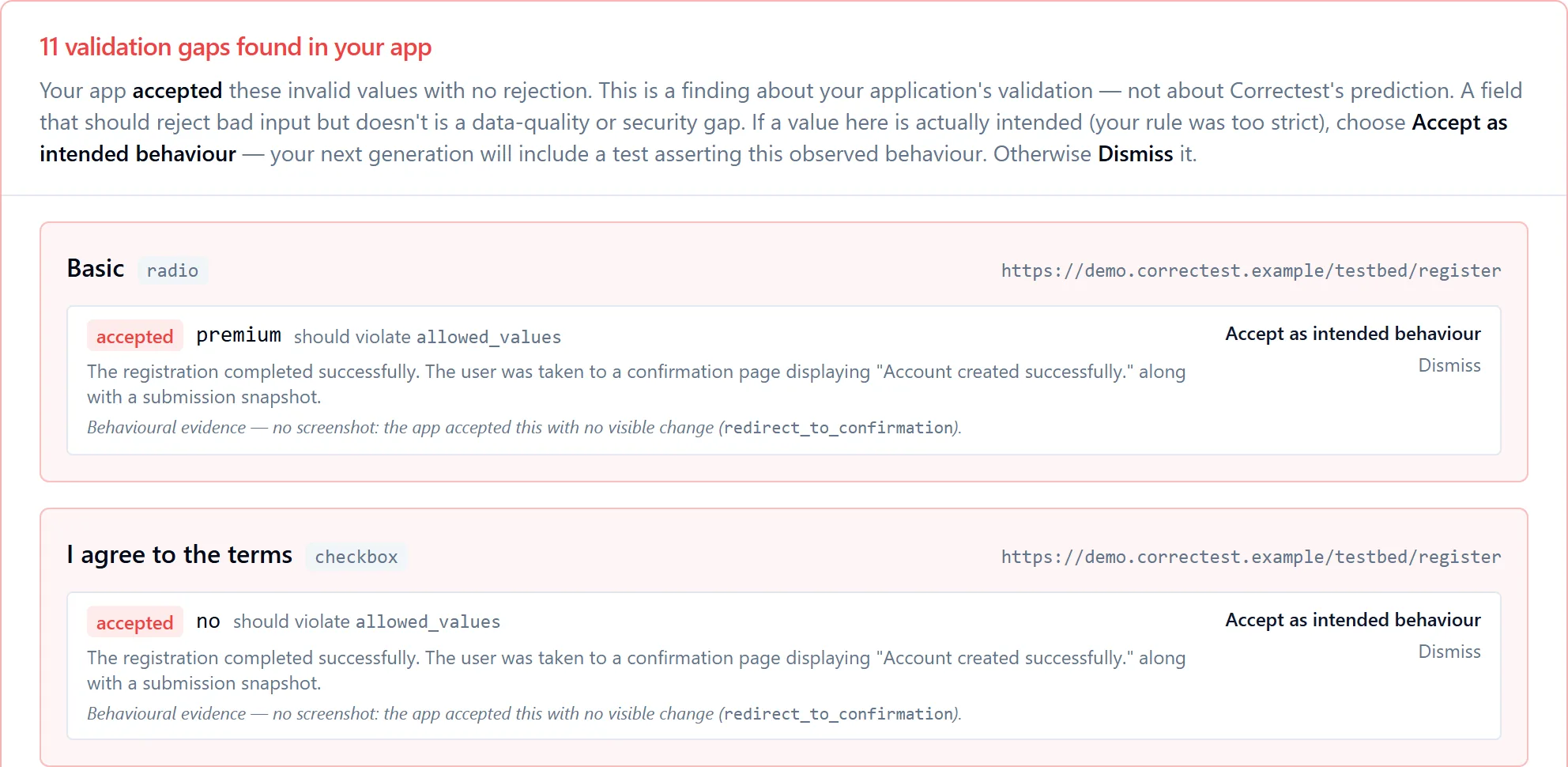
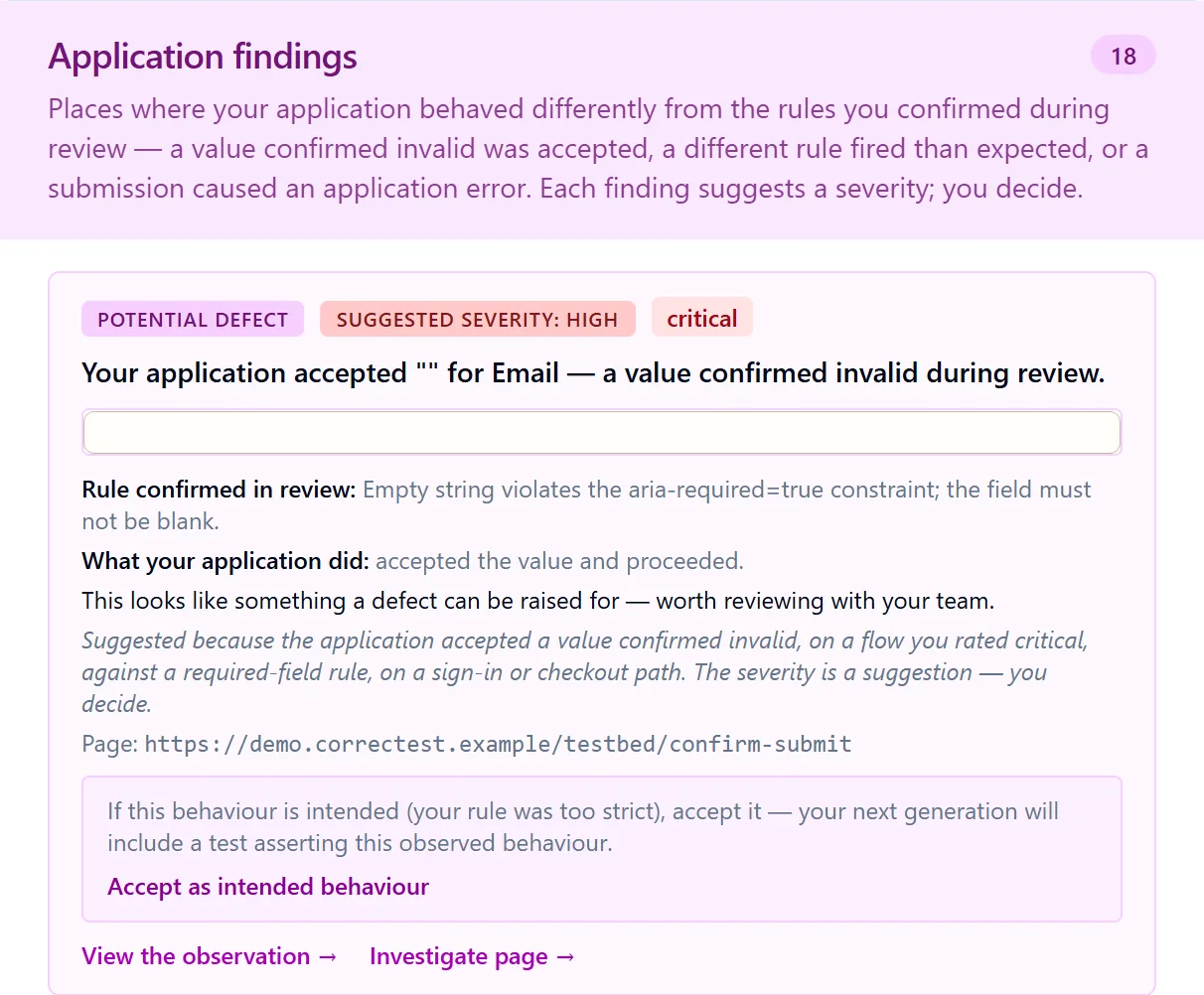
The most surprising thing a scan shows: your app accepting what it should refuse.
Every place where your app's behaviour diverged from the rules you confirmed during review is surfaced the moment execution completes, as a finding with what was expected, what the app did, who authored the value, and a suggested severity you decide on. A field that accepts a value you agreed was invalid is a data-quality or security gap; a value rejected under a different rule than predicted is your app's own rule order, recorded; a server error is a finding of its own. All of it before a single test was generated.
Why is this test here?
Click any generated spec and see what it was built from.
The Generated tests view lists every spec in the latest suite mapped to the observations and field values it was built from: click a row to see the evidence, before/after screenshots included. The spec itself says the same thing in a comment: the observation it is grounded in, and the confidence Correctest had in it. A generated assertion always traces back to something Correctest actually watched happen, never a guess dressed up as one.
The rule behind it is a hard gate, not a best effort: a flow with no observations gets no spec, rather than a test that looks right and fails the moment it runs against the real app.
// tests/flows/autocomplete-preferences-form.spec.ts — as generated in our own run, trimmed
test.describe("autocomplete-preferences-form", () => {
  /**
   * Asserts the happy path: valid city + postcode saves location
   * preferences and navigates to the submission confirmation page with
   * a "Location preferences saved." banner.
   * Grounded in observation: 52f4f5ce-7952-432a-8efa-1deea36387cc
   * (confidence 0.95).
   */
  test("autocomplete preferences success — valid city and postcode save preferences", async ({ page }) => {
    const autocomplete = new TestbedAutocompletePage(page);
    await autocomplete.goto();
    await autocomplete.fillPreferredCity(preferredCity);
    await autocomplete.fillPostcode(postcode);
    await autocomplete.clickSubmit();
    await expect(page).toHaveURL(/\/testbed\/submit\/autocomplete/);
    await expect(page.locator('div.banner-success')).toBeVisible();
  });
});
The activity feed
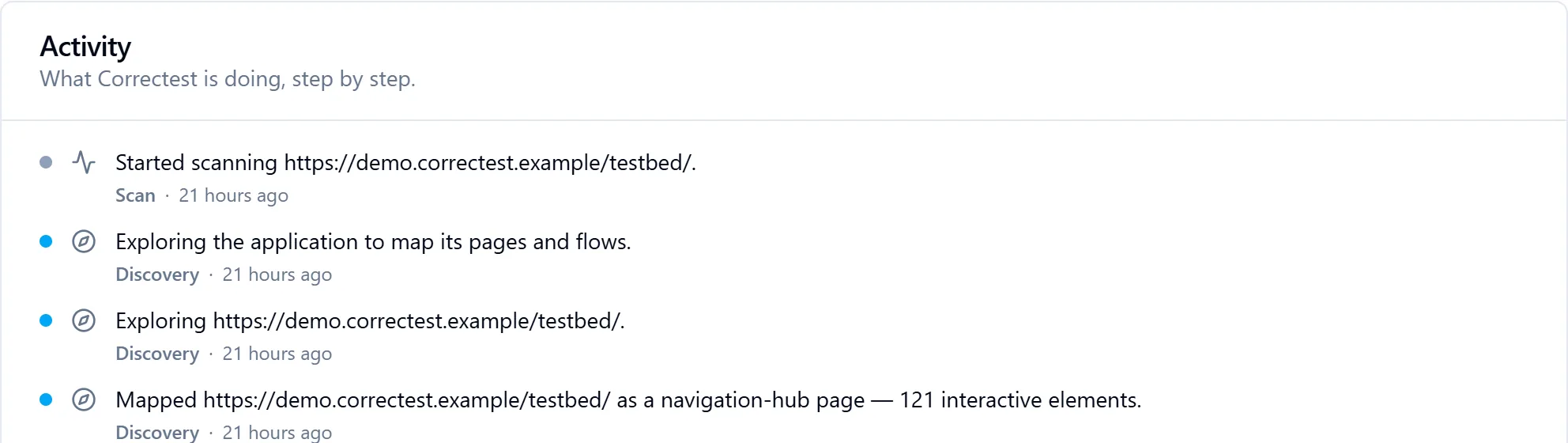
A live commentary that cannot narrate an event that didn't happen.
While a scan runs, a plain-English feed says what Correctest is doing right now: started scanning your app; exploring the checkout page; mapped the login page as a login page with four interactive elements; discovery complete, found seven pages, forty-one elements and three flows; replaying three flows; scan complete. During generation, the same feed narrates the project assembling.
It is deterministic. The AI did its thinking at scan time; the feed simply presents the milestones the scan already records as clean sentences. That means it adds zero cost, it cannot hallucinate, and after the run the same transcript is re-viewable. It never shows spend; duration and coverage are fine, and the client-facing unit is credits.
The coverage report
What the suite covers, what it left out, and why.
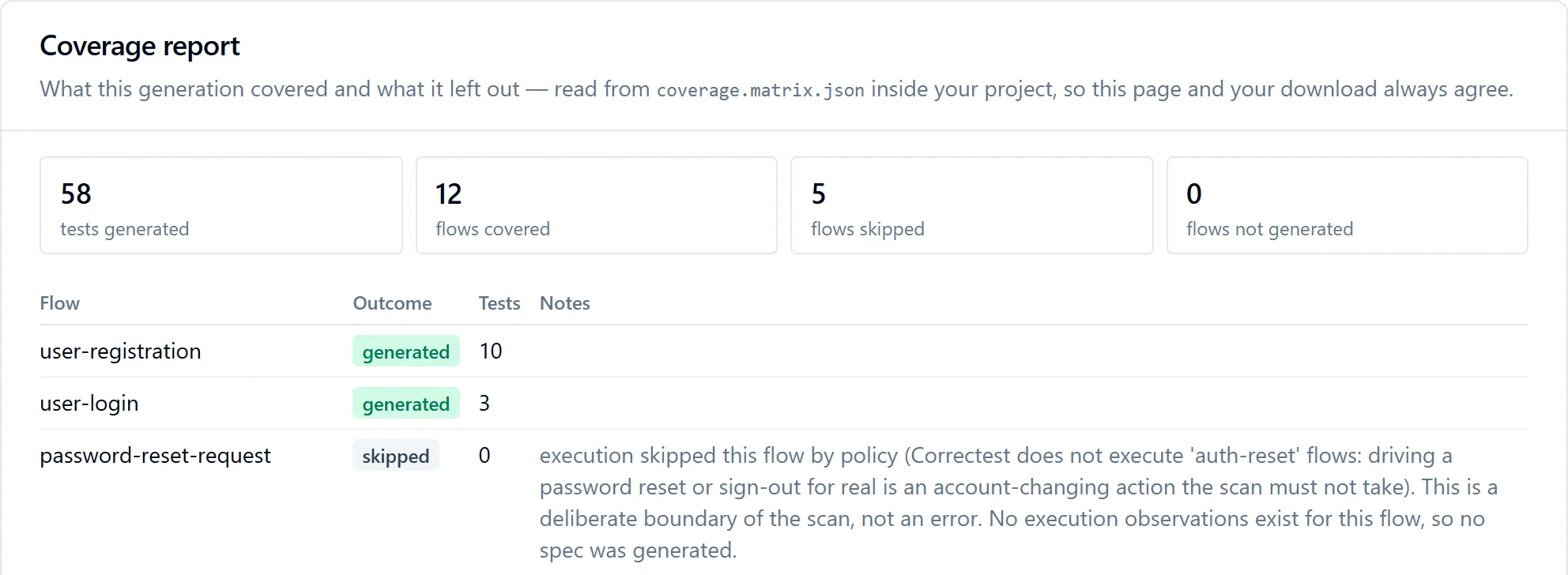
Every generation writes a coverage report into your project, and the product renders the same file, so the page and the download can never disagree. Per flow: generated, or skipped with the actual cause named: skipped by policy (password resets and sign-outs are never driven for real), nothing to submit, outside the story's scope, the scan's budget ran out first, or an execution failure stated as a fact about the run.
One omission is said differently because it outranks the rest: if the suite would have to run without its sign-in, because your login form changed in a way the scan spotted but could not confidently re-learn, a red banner at the top of the report states the consequence first, and the same sentence appears in the project's README and in the coverage file. Deliberately not claimed: that nothing works. Tests covering genuinely public pages may still pass, and the README says so.
Across scans, the application-level coverage page merges every suite: where a story was scanned repeatedly only its latest suite counts, older runs are shown as superseded, never double-counted, and coverage older than the newest scan is marked as aging, never hidden.